The exact prompts Alyssa uses to turn a Loom video into a polished SOP in minutes
For bookkeeping & accounting firm owners

Stop staring at the blank document. Start talking.

Use Alyssa's detailed prompt system to turn a Loom transcript, brain dump, or guided interview into a polished, copy-paste-ready SOP without writing every step manually.

$97

One payment
Instant access

⇨ Give Me the Prompts
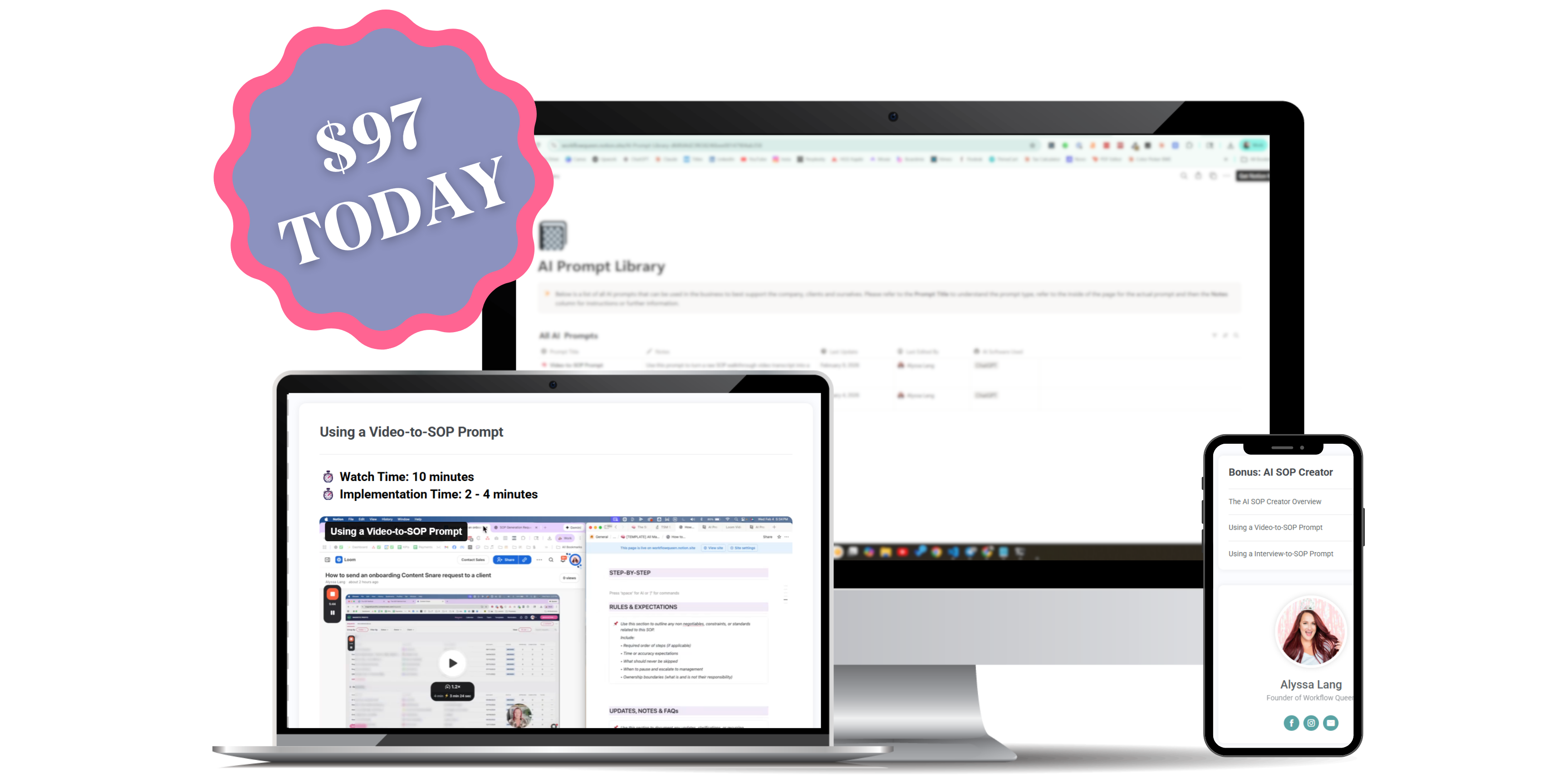
The AI SOP Creator course, prompts, and templates
01 / INPUTTalk
02 / TRANSCRIPTPaste
03 / OUTPUTCopy
04 / COMPLETEDone
You have tried to document it

You could explain the process in your sleep. The SOP is still unfinished.

You know the process. The hard part is turning everything you know into clean steps another person can follow.

01

You opened a Google Doc, typed a title, and stared at it for ten minutes before closing the tab.

02

You recorded a 35-minute Loom, then realized nobody wants to hunt through the video for one missing step.

03

You asked ChatGPT for an SOP and got back something so generic it could describe any business.

04

You planned to document everything after busy season, and the next busy season arrived first.

Meanwhile, everything stays with you. Month-end close. Client onboarding. That one weird workaround for the client who still mails paper checks. You know how all of it works. Your team knows to ask you.

"Hey, how do I pull that sales report again?"
"Do I send the P&L or the balance sheet?"
"How are we downloading and saving the client reports?"
"Wait... how did we handle this last year?"

You have answered these questions before. Multiple times. There is nowhere else for your team to go, so you type the answer again, hop on "a quick call," or do the task yourself because explaining it feels longer than doing it.

"I should have written this down by now."

You could explain any of these processes in your sleep. The knowledge is there. Turning it into a clean, organized SOP with the right steps feels like a project you do not have time for, so the process stays with you and you stay the bottleneck.

What if you could talk through the process and let the prompt organize it?

The knowledge is already there. The AI SOP Creator gives it the questions, structure, and bookkeeping context it needs to become a usable SOP.

Two ways to get the process out

Use the input you already have.

Start with a recording, or let AI interview you. Both paths finish with a formatted SOP ready for your documentation system.

01 / VIDEO

The Video-to-SOP Prompt

Already have Loom recordings? Perfect. Paste the transcript or brain dump and let the prompt build the steps, tool references, and details you glossed over because "everyone knows that part." Spoiler: everyone does NOT know that part. That is why they keep asking you.

02 / INTERVIEW

The Interview-to-SOP Prompt

No video? No problem. AI interviews you or a team member with guided questions, pulls the process out of the answers, and turns it into a polished SOP. You talk. AI organizes. You copy the finished SOP into your system. DONE.

Everything inside The AI SOP Creator

Detailed prompts, clean templates, no guessing.

The prompts know bookkeeping and accounting workflows. The walkthroughs show you how to use them. The templates give every finished SOP a clean place to land.

01 / PROMPT

Video-to-SOP System

Detailed prompt + template in both Google Doc and Notion formats.

02 / PROMPT

Interview-to-SOP System

Guided questions + formatted output in both Google Doc and Notion formats.

03 / CONTEXT

Bookkeeping-Specific Detail

Prompts built around firm workflows, tools, clients, and recurring work instead of generic one-line instructions.

04 / TRAINING

Bite-Sized Walkthroughs

Short tutorials with Alyssa for using each prompt and getting clean output on the first try.

05 / LIBRARY

Organized Prompt Library

One searchable home for the prompts in Google Doc and Notion formats.

06 / TOOLS

Use the AI You Have

Works with ChatGPT, Claude, Gemini, or another capable AI tool you already use.

The difference structure makes

From a blank document to one finished SOP.

Before

Open. Stare. Type three bullets. Close the tab.

A client email interrupts you, the half-finished document gets buried, and the process stays with you.

TIME SPENT 45 MINSOPS CREATED 0
After

Record or answer. Paste. Review. Move on.

The prompt returns a detailed SOP you can copy into your system and hand to the person doing the work.

TIME SPENT 7 MINSOPS CREATED 1

Now imagine doing that once a week.

Give it two months and you have a growing SOP library instead of a folder full of blank starts. Give your team a few months with that documentation and the repeat questions start disappearing. This builds one process at a time, without turning your weekend into a documentation marathon.

From firm owners using the prompts

The prompts turn the ramble into something the team can use.

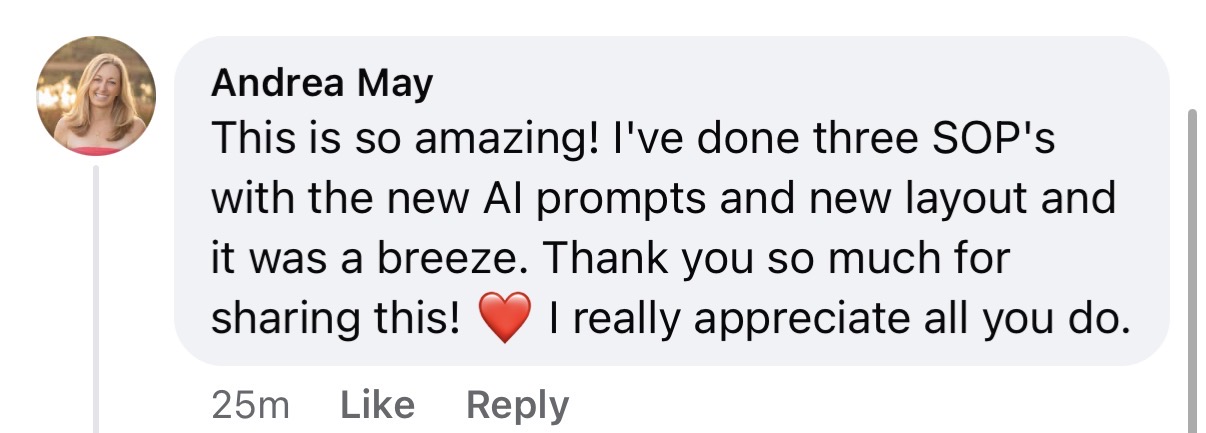
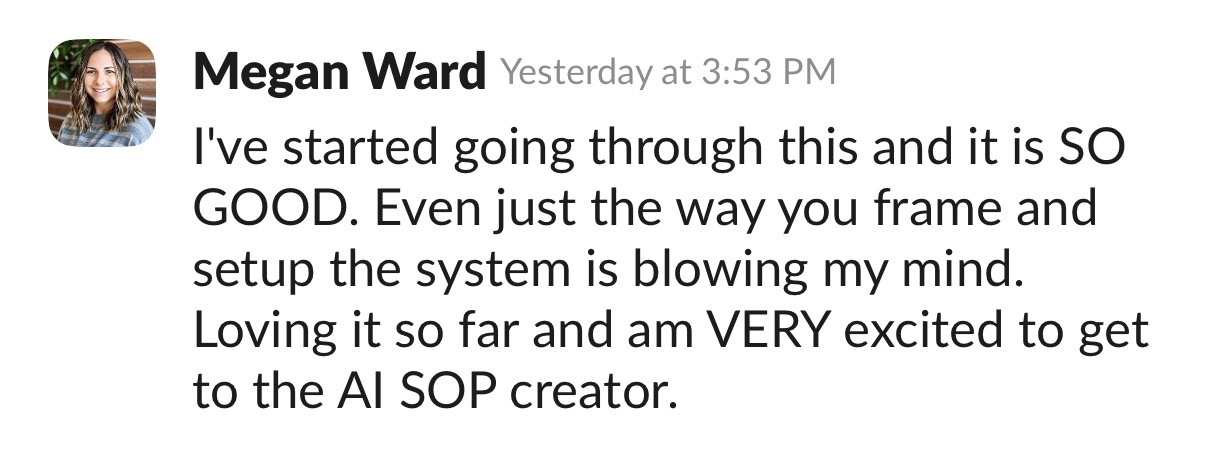
"The SOP Method course and The AI SOP Creator are fantastic. I had no idea what creating SOPs meant beyond recording myself doing the process. The Notion templates and AI prompts are so helpful."
Elizabeth White · bookkeeping firm owner
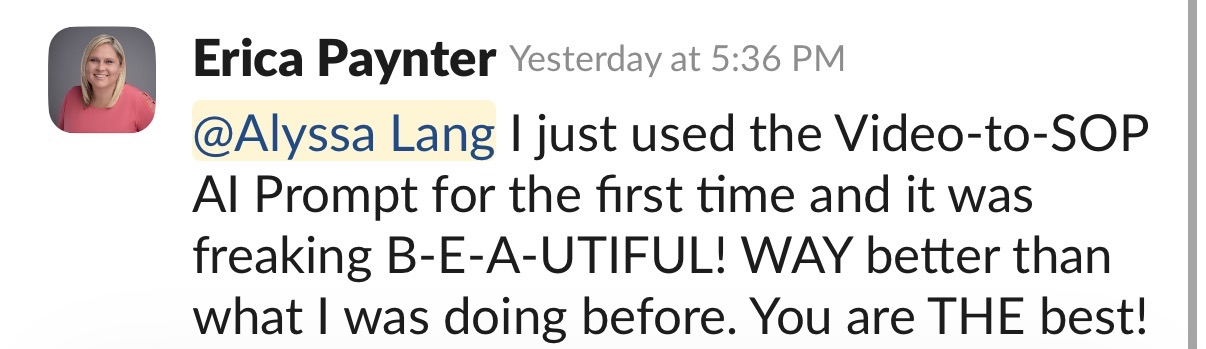
The AI SOP Creator student feedbackThe AI SOP Creator student feedbackThe AI SOP Creator student feedbackThe AI SOP Creator student feedback
Hi, I'm Alyssa

I built the system because I was tired of being the walking, talking answer key.

I built a bookkeeping and accounting firm that can run without me, and I have helped more than 11,000 firm owners with the workflows and systems underneath their firms.

The AI SOP Creator came from knowing the process cold and still watching documentation get stuck in half-finished Google Docs, Loom recordings, and random notes. You already have the knowledge. The prompts give it structure.

I will be honest: I am in a season where things are not perfect. Some SOPs are solid. Some need updates. Some do not exist yet. The system still gives the team a place to go, and it keeps every question from landing back with me.

Alyssa Lang, founder of Workflow QueenFrom Alyssa's firmI refuse to be the walking, talking answer key in my own business.

You should not have to keep re-explaining work you already know how to teach once.

"But Alyssa, it is only me. I do not have a team yet."

I hear you. Document the work while it is still only you and you have room to build it well. One client can tip the workload from manageable to urgent, and suddenly you are hiring while doing all the client work.

Then you are training someone on Zoom, answering the same questions on repeat, and wondering why hiring created more work. Ask me how I know. I have lived the scramble. Give your first hire documentation they can use, so the help you hired can help.

Breakthrough students: put your wallet away.

You already have The AI SOP Creator and The SOP Method inside your Breakthrough course portal. Go use the resources you already own.

Talk. Paste. Copy. Done.

Turn the process you know into the SOP your team needs.

Choose the input, follow the prompt, and copy the formatted SOP into the documentation system your firm uses.

One-time payment · instant access
$97

Both prompt systems, templates, walkthroughs, and prompt library

  • Video-to-SOP Prompt
  • Interview-to-SOP Prompt
  • Google Doc templates
  • Notion templates
  • Bite-sized walkthroughs
  • Organized prompt library
  • Bookkeeping-specific context
  • Works with major AI tools
⇨ Get The AI SOP Creator

One payment in USD. Instant access to a digital product. All sales are final.

Questions before you start

A few things to know.

Do I need to use Notion?

No. Both prompt systems include Google Doc and Notion versions, so you can use the format that fits your current setup.

What AI tool do I need?

The prompts work with ChatGPT, Claude, Gemini, or another capable AI tool you already use.

Will this give me generic SOPs?

The prompts are detailed and built for bookkeeping and accounting firm workflows. They ask for the tools, context, client details, and small steps that make the finished SOP usable.

Is this a large course?

No. The training is made of short walkthroughs that show you how to use each prompt and template.

Does this work for a solo firm owner?

Yes. Building documentation before your first or next hire gives the work a cleaner path out of your hands when you need help.

What is the refund policy?

The AI SOP Creator provides immediate access to digital prompts, templates, and training, so purchases are non-refundable.

Stop rewriting the explanation. Build the SOP.

The prompt gives your knowledge structure. The finished document gives the work somewhere else to live.

⇨ Start Creating for $97
One more thing...
The AI SOP Creator gets each SOP written. The SOP Method gives every finished SOP a home and a handoff plan.

The AI SOP Creator is about to hand you:

A Video-to-SOP Prompt for the Loom recordings you already have
An Interview-to-SOP Prompt for pulling a process out through guided questions
Polished, copy-paste SOPs with the steps and details your team needs
Templates and walkthroughs for creating documentation the same way every time

Now those finished SOPs need somewhere to go. I have watched firm owners create beautiful documentation and drop it into a random folder nobody opens. Six months later, the SOPs are outdated, buried, and useless.

That’s where The SOP Method comes in.

It gives you the searchable SOP database, consistent template, delegation framework, and flagging system that turn a pile of documents into something your team can find, follow, and keep current.

Your prompts get the SOPs written. The SOP Method helps the work leave your plate.

Add it to your order today and give every SOP you create a home, an owner, and a maintenance plan.

(You'll see a special offer to add this on at checkout. It's the best price I offer it at and the missing piece that makes everything click.)

GRAB THE AI SOP CREATOR

Turn the process you can explain in your sleep into a polished SOP without writing every step manually.

Instant access. Both prompt systems, templates, and bite-sized walkthroughs included.

Video-to-SOP Prompt to turn a Loom transcript or brain dump into a formatted SOP

Interview-to-SOP Prompt that asks guided questions and organizes your answers

Google Doc + Notion templates included for both prompt systems

Bookkeeping and accounting context built in, including firm tools, clients, and recurring workflows

Polished, copy-paste SOP output with clear steps, tool references, and the details your team needs

Bite-sized video walkthroughs showing you how to use every prompt and template

Works with ChatGPT, Claude, Gemini, or the capable AI tool you already use

BREAKTHROUGH STUDENT? Put your wallet away. The AI SOP Creator and The SOP Method are already inside your Breakthrough course portal.

Talk it through. Paste it in. Copy the finished SOP into your system.

  • 01Customer
  • 02Payment

Contact information

Billing address

1. Introduction

Welcome to Workflow Queen LLC (“Company”, “we”, “our”, “us”).

These Terms of Service (“Terms”, “Terms of Service”) govern your use of our website located at www.workflowqueen.com and all other sites associated with the company (together or individually “Service”) operated by Workflow Queen.

Our Privacy Policy also governs your use of our Service and explains how we collect, safeguard, and disclose information that results from your use of our web pages.

Your agreement with us includes these Terms and our Privacy Policy (“Agreements”). You acknowledge that you have read and understood Agreements and agree to be bound by them. If you do not agree with (or cannot comply with) Agreements, then you may not use the Service. Please let us know by emailing support@workflowqueen.com so we can try to find a solution. These Terms apply to all visitors, users, and others who wish to access or use Service.


2. Communications

By using our Service, you agree to subscribe to newsletters, marketing or promotional materials, and other information we may send. However, you may opt out of receiving any or all of these communications from us by following the unsubscribe link or by emailing support@workflowqueen.com.


3. Purchases

If you wish to purchase any product or service made available through Service (“Purchase”), you may be asked to supply certain information relevant to your Purchase, including but not limited to, your credit or debit card number, the expiration date of your card, your billing address, and your shipping information.

You represent and warrant that: (i) we have the legal right to use any card(s) or other payment method(s) in connection with any Purchase; and that (ii) the information you supply to us is true, correct, and complete.

We may employ the use of third-party services for the purpose of facilitating payment and the completion of Purchases. By submitting your information, you grant us the right to provide the information to these third parties subject to our Privacy Policy.

We reserve the right to refuse or cancel your order at any time for reasons including but not limited to product or service availability, errors in the description or price of the product or service, error in your order, or other reasons. We reserve the right to refuse or cancel your order if fraud or an unauthorized or illegal transaction is suspected.


4. Refunds

There are no refunds for all purchases associated with the AI SOP Creator including all additional bonuses included.


5. Content

Our Service does not allow you to post, link, store, share, or otherwise make available certain information, text, graphics, videos, or other material (“Content”).

Workflow Queen has the right but not the obligation to monitor and edit all Content provided by users.

Content found on or through this Service is the property of Workflow Queen or used with permission. You may not distribute, modify, transmit, reuse, download, repost, copy, or use said Content, whether in whole or in part, for commercial purposes or for personal gain, without express advance written permission from us. AI SOP Creator may only be used within your firm and may not be shared externally or with anyone outside your team.


6. Prohibited Uses

You may use Service only for lawful purposes and in accordance with Terms. You agree not to use Service:

In any way that violates any applicable national or international law or regulation.

For the purpose of exploiting, harming, or attempting to exploit or harm minors in any way by exposing them to inappropriate content or otherwise.

To transmit, or procure the sending of, any advertising or promotional material, including any “junk mail,” “chain letter,” “spam,” or any other similar solicitation.

To impersonate or attempt to impersonate Company, a Company employee, another user, or any other person or entity.

In any way that infringes upon the rights of others, or in any way is illegal, threatening, fraudulent, or harmful, or in connection with any unlawful, illegal, fraudulent, or harmful purpose or activity.

To engage in any other conduct that restricts or inhibits anyone’s use or enjoyment of Service or which, as determined by us, may harm or offend Company or users of Service or expose them to liability.

Additionally, you agree not to:

Use Service in any manner that could disable, overburden, damage, or impair Service or interfere with any other party’s use of Service.

Use any robot, spider, or other automatic device, process, or means to access Service.

Use any manual process to monitor or copy any of the material on Service without our prior written consent.

Use any device, software, or routine that interferes with the proper working of Service.

Introduce any viruses, trojan horses, worms, logic bombs, or other material which is malicious or technologically harmful.

Attempt to gain unauthorized access to, interfere with, damage, or disrupt any parts of Service, the server on which Service is stored, or any server, computer, or database connected to Service.


7. Analytics

We may use third-party Service Providers to monitor and analyze the use of our Service.


8. No Use By Minors

Service is intended only for access and use by individuals at least eighteen (18) years old. By accessing or using Service, you warrant and represent that you are at least eighteen (18) years of age and with the full authority, right, and capacity to enter into this agreement and abide by all of the terms and conditions of Terms. If you are not at least eighteen (18) years old, you are prohibited from both the access and usage of Service.


9. Accounts

When you create an account with us, you guarantee that you are above the age of 18, and that the information you provide us is accurate, complete, and current at all times. Inaccurate, incomplete, or obsolete information may result in the immediate termination of your account on Service.

You are responsible for maintaining the confidentiality of your account and password, including but not limited to the restriction of access to your computer and/or account. You agree to accept responsibility for any and all activities or actions that occur under your account and/or password. You must notify us immediately upon becoming aware of any breach of security or unauthorized use of your account.


10. Intellectual Property

Service and its original content (excluding Content provided by users), features, and functionality are and will remain the exclusive property of Workflow Queen and its licensors. Service is protected by copyright, trademark, and other laws of the United States and foreign countries. Our trademarks may not be used in connection with any product or service without the prior written consent of Workflow Queen.


11. Copyright Policy

We respect the intellectual property rights of others. It is our policy to respond to any claim that Content posted on Service infringes on the copyright or other intellectual property rights (“Infringement”) of any person or entity.

If you are a copyright owner, or authorized on behalf of one, and you believe that the copyrighted work has been copied in a way that constitutes copyright infringement, please submit your claim via email to support@workflowqueen.com, with the subject line: “Copyright Infringement” and include in your claim a detailed description of the alleged Infringement as detailed below, under “DMCA Notice and Procedure for Copyright Infringement Claims.”


12. DMCA Notice and Procedure for Copyright Infringement Claims

You may submit a notification pursuant to the Digital Millennium Copyright Act (DMCA) by providing our Copyright Agent with the following information in writing (see 17 U.S.C 512(c)(3) for further detail):

An electronic or physical signature of the person authorized to act on behalf of the owner of the copyright’s interest.

A description of the copyrighted work that you claim has been infringed, including the URL (i.e., web page address) of the location where the copyrighted work exists or a copy of the copyrighted work.

Identification of the URL or other specific location on Service where the material that you claim is infringing is located.

Your address, telephone number, and email address.

A statement by you that you have a good faith belief that the disputed use is not authorized by the copyright owner, its agent, or the law.

A statement by you, made under penalty of perjury, that the above information in your notice is accurate and that you are the copyright owner or authorized to act on the copyright owner’s behalf.

You can contact our Copyright Agent via email at support@workflowqueen.com.


13. Error Reporting and Feedback

You may provide us either directly at support@workflowqueen.com or via third-party sites and tools with information and feedback concerning errors, suggestions for improvements, ideas, problems, complaints, and other matters related to our Service (“Feedback”). You acknowledge and agree that: (i) you shall not retain, acquire or assert any intellectual property right or other right, title, or interest in or to the Feedback; (ii) Company may have development ideas similar to the Feedback; (iii) Feedback does not contain confidential information or proprietary information from you or any third party; and (iv) Company is not under any obligation of confidentiality with respect to the Feedback.


14. Links To Other Websites

Our Service may contain links to third-party websites or services that are not owned or controlled by Workflow Queen.

Workflow Queen has no control over and assumes no responsibility for the content, privacy policies, or practices of any third-party websites or services. We do not warrant the offerings of any of these entities/individuals or their websites.

YOU ACKNOWLEDGE AND AGREE THAT COMPANY SHALL NOT BE RESPONSIBLE OR LIABLE, DIRECTLY OR INDIRECTLY, FOR ANY DAMAGE OR LOSS CAUSED OR ALLEGED TO BE CAUSED BY OR IN CONNECTION WITH USE OF OR RELIANCE ON ANY SUCH CONTENT, GOODS, OR SERVICES AVAILABLE ON OR THROUGH ANY SUCH THIRD-PARTY WEBSITES OR SERVICES.


15. Disclaimer of Warranty

THESE SERVICES ARE PROVIDED BY COMPANY ON AN “AS IS” AND “AS AVAILABLE” BASIS. COMPANY MAKES NO REPRESENTATIONS OR WARRANTIES OF ANY KIND, EXPRESS OR IMPLIED, AS TO THE OPERATION OF THEIR SERVICES, OR THE INFORMATION, CONTENT, OR MATERIALS INCLUDED THEREIN. YOU EXPRESSLY AGREE THAT YOUR USE OF THESE SERVICES, THEIR CONTENT, AND ANY SERVICES OR ITEMS OBTAINED FROM US IS AT YOUR SOLE RISK.

16. Limitation of Liability

EXCEPT AS PROHIBITED BY LAW, YOU WILL HOLD US AND OUR OFFICERS, DIRECTORS, EMPLOYEES, AND AGENTS HARMLESS FOR ANY INDIRECT, PUNITIVE, SPECIAL, INCIDENTAL, OR CONSEQUENTIAL DAMAGE, HOWEVER IT ARISES, WHETHER IN AN ACTION OF CONTRACT, NEGLIGENCE, OR OTHER TORTIOUS ACTION.


17. Termination

We may terminate or suspend your account and bar access to Service immediately, without prior notice or liability, under our sole discretion, for any reason whatsoever and without limitation, including but not limited to a breach of Terms.

If you wish to terminate your account, you may simply discontinue using Service.


18. Governing Law

These Terms shall be governed and construed in accordance with the laws of the State of California, United States, without regard to its conflict of law provisions.


19. Changes To Service

We reserve the right to withdraw or amend our Service, and any service or material we provide via Service, at our sole discretion without notice.


20. Amendments to Terms

We may amend Terms at any time by posting the amended terms on this site. Your continued use of the Platform following the posting of revised Terms means that you accept and agree to the changes.


21. Waiver and Severability

No waiver by Company of any term or condition set forth in Terms shall be deemed a further or continuing waiver of such term or condition.


22. Acknowledgment

BY USING THE SERVICE OR OTHER SERVICES PROVIDED BY US, YOU ACKNOWLEDGE THAT YOU HAVE READ THESE TERMS OF SERVICE AND AGREE TO BE BOUND BY THEM.

Copyright © 2026 Workflow Queen®
I agree
Close
All sales are final. This product, along with any bonuses or additional purchases offered during this checkout experience, is nonrefundable and nontransferable. By completing your purchase, you acknowledge and agree to this no-refund policy.
Close
Special Offer
WAIT! ADD THIS TO YOUR ORDER!

The complete system behind the prompts

The AI SOP Creator gets your SOPs written. The SOP Method gives you the system to organize, manage, delegate, and use them without everything ending up in a random folder nobody checks.

Your prompts create the documentation. The SOP Method gives that documentation a searchable home, a consistent format, and a process for staying useful as the work changes.

The Notion SOP Database + Google Sheets version so every SOP is organized and easy to find

The Complete SOP Template with one consistent structure for every process

The Delegation Method to connect the SOP to the work and move the task off your plate

The SOP Flagging System so outdated instructions get caught while your team is working

One completed example SOP showing you how every piece fits together

Bite-sized video walkthroughs for setting up and using the full system

Normally $197

$50 off, only available right now at checkout

Add to cart$147.00
  • Total payment
  • 1xThe AI SOP Creator$97
    -+

All prices in USD

Payment information

You will not be charged for this purchase, but if you choose to make an optional purchase later, this card info will be used to complete that transaction!

Processing...