AI Firm By Design
The foundational course that puts working AI assets in your firm, plus the system to keep building.
Alyssa walks you through every build, step by step. When it's done, the busywork that eats your evenings comes off your plate, and your week finally has room again.
- Cut through the “which tool, which prompt, which platform” confusion and get one clear place to start.
- Put AI on what eats your week, with a process you can repeat on whatever breaks next, and win those hours back.
- Decide what you will and won't put into AI, with her stoplight system, so you never leak client data, let it train on your clients' books, or break the agreement you signed.
- The full 10-module course, AI Firm By Design
- 15 starter prompts + your Firm AI Library
- Two starter Skills + your client Project structure, with a Skill that writes your source files for you
- The AI Firm Dashboard tracking every milestone you hit
Start building today.
All ten modules are available the moment you're in, with lifetime access to build at your own pace.
You Know AI Can Do So Much More. You've Barely Scratched the Surface.
After Alyssa hosted her first AI workshop, people kept asking her for the same thing: build us something just for our industry. One firm owner said it perfectly on the intake form: “The hesitation is not about whether AI works, it's about making sure I actually use it responsibly.” We heard you.
This Is Where You Build It
AI Firm By Design is that something: your safety rules, your prompts, your Skills, and a working client Project, built step by step inside your own AI.
The course starts from zero, and no prior class is needed.
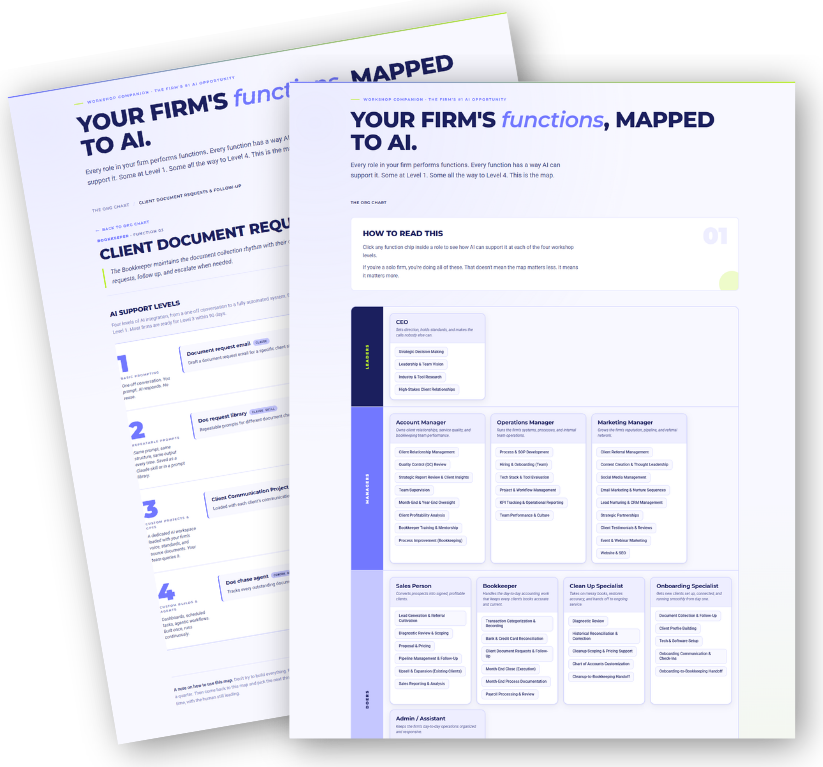
This is Alyssa's AI Employee Org Chart: every function in a firm, mapped to what AI can take off your plate. In Module 2, you'll run YOUR firm through it.
“So far this is AWESOME! Alyssa ALWAYS provides GOLD and tons of VALUE! That is why I never think twice about whether or not any of her courses are worth the investment.”
An AI Firm By Design studentAI Firm By Design
If AI feels like one more thing you haven't had time to figure out, this is where that changes. Alyssa takes you from “I know AI could help” to AI working in your firm: set up safely, organized, and handling the work you repeat every month. Here's everything waiting inside.
Here's What Alyssa Will Teach You
Open any module to see exactly what's inside and what you'll build.
This one's quick. I show you around, you tell me where you're starting from, and we turn on the AI Firm Dashboard that tracks everything you build. By the end you'll know exactly how the course works and what you'll have when you're done.
- What this course is, who it's for, and what you'll have built by the end
- How to move through it: self-paced, lifetime access, build as you go
- A quick intake form, so at the end I can show you how far you came
- How to add team members, what it costs, and who on your team should join you
- Where to get help and share your wins
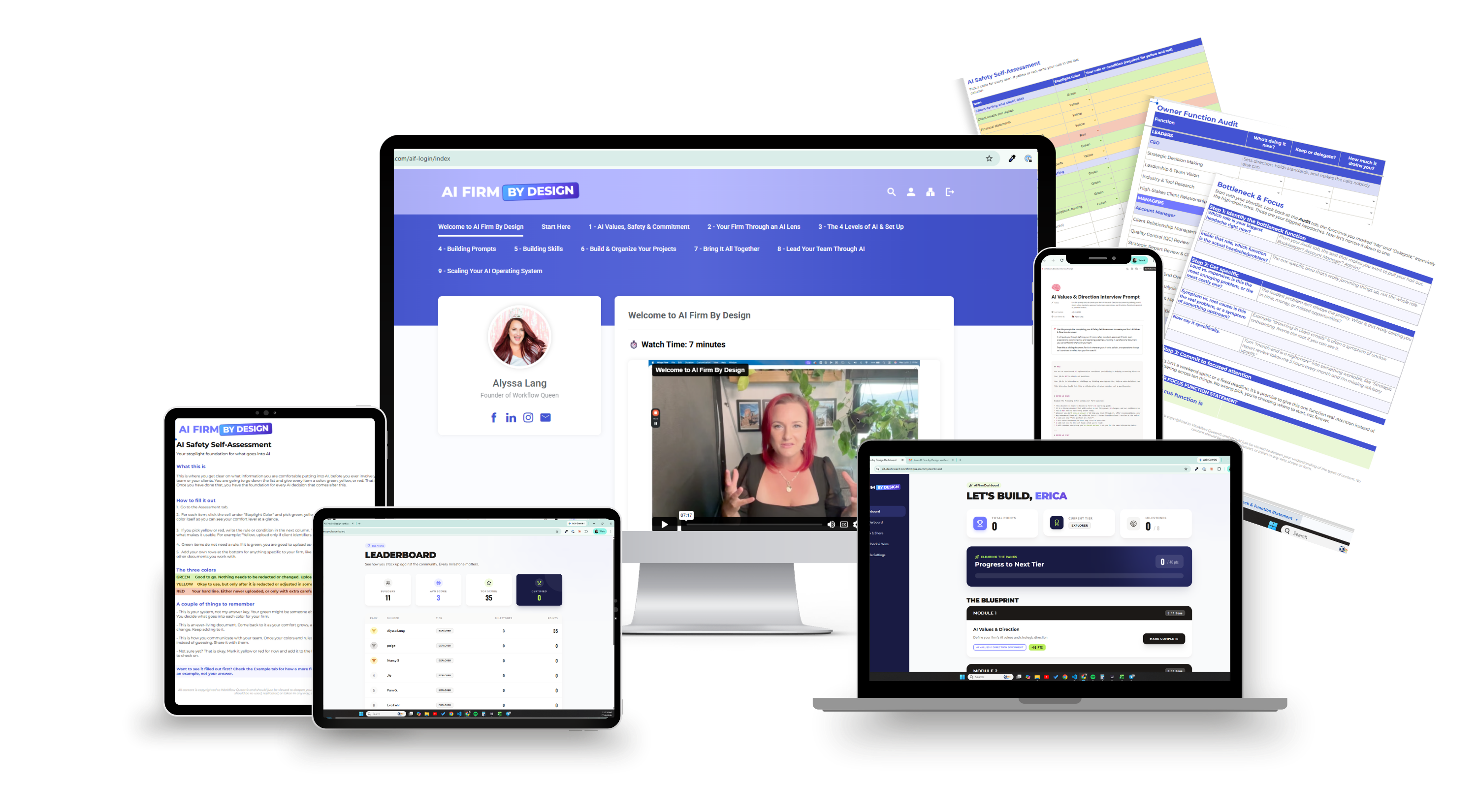
- Turn on your AI Firm Dashboard: 8 milestones, 100 points, every one something you built for your firm
“Learning that I am not as behind as I believe that I am.”
Student check-inYou know the moment: a client's P&L, your cursor hovering over the upload button, wondering “should I even be putting this into AI?” I'll teach you how to decide what's safe for YOUR firm, and we'll put your rules in writing, so every AI decision after this feels easy instead of scary.
- The truth: almost nobody has AI figured out, so you have full permission to start where you are
- My humans-first promise: AI makes your people better, and nobody on your team gets replaced
- The Green / Yellow / Red framework for client info: you already trust QBO and Google Drive with sensitive data, and I'll show you how to judge AI vendors the same way
- Why AI can be confidently wrong, and why your judgment stays in charge
- The redaction workflow, with step-by-step guides for Mac and Windows
- The AI Values & Direction interview: AI asks you the questions, and out comes your firm's AI policy
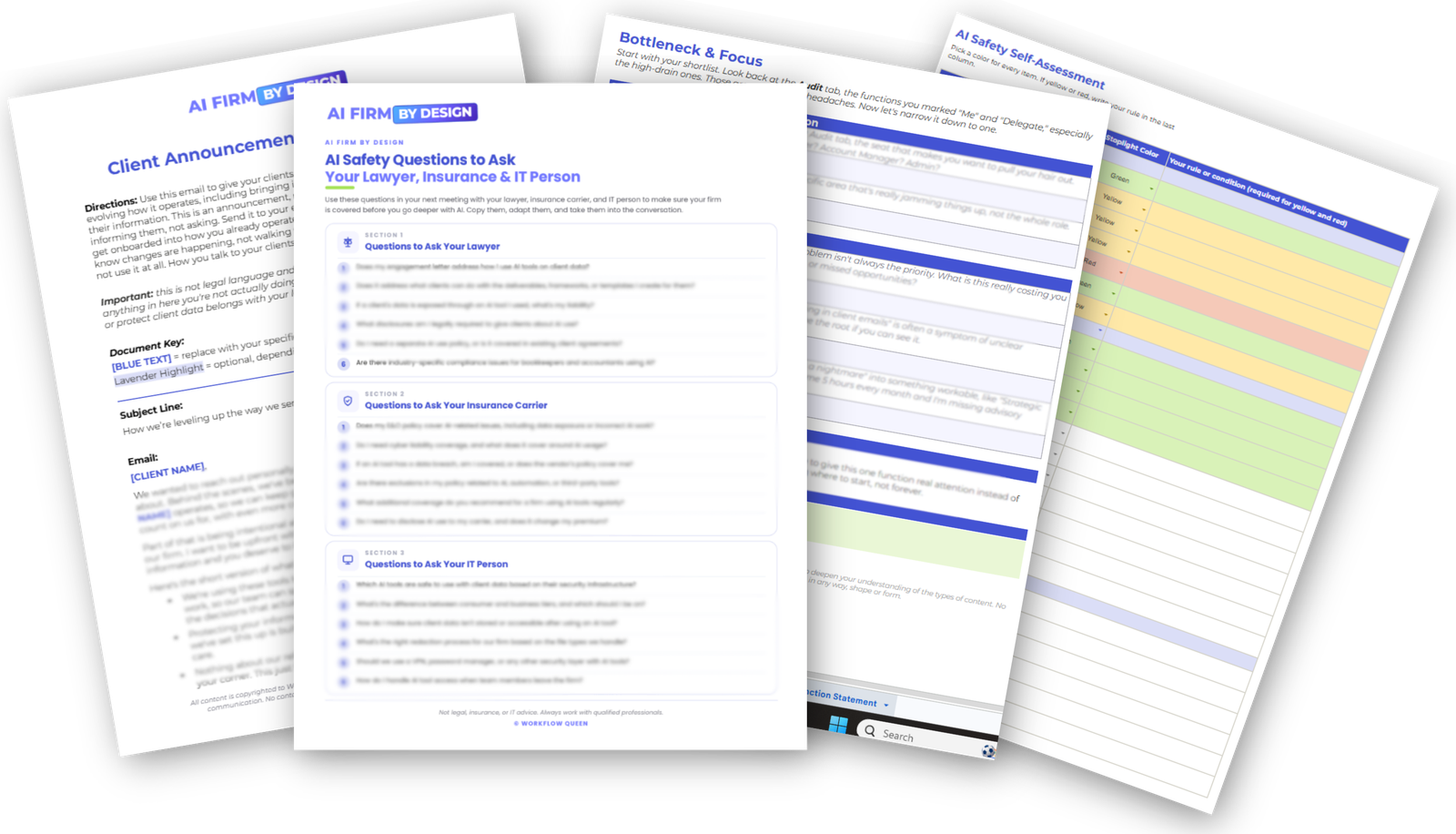
- Exactly what to ask legal, insurance, and IT, so you're covered
- My client announcement email template, ready to send, plus how to handle the conversation when a client resists AI
“The interview prompt to build the AI Values & Direction doc was great! It made the process so quick and easy, while also still forcing me to think myself.”
Student check-in“loved it! it showed me what is possible with ai and removed my hesitation with security issues”
Student check-inWhen everything in your firm feels urgent, you can't tell which problem is costing you the most. So I'll teach you to see your firm the way I see it: as a set of functions. Then we find your one biggest bottleneck and make it your focus. That clarity is your first win, and it takes zero prompting skill.
- What a firm using AI well looks like from the inside (spoiler: a normal firm, organized, and calm)
- See your firm as functions and the roles that own them, on my AI Employee Org Chart
- The Owner Function Audit: that same functions lens on a spreadsheet, where you mark who's doing each function today and watch it hand off to AI (and your team) over time
- Why AI can't fix what you haven't defined, and why we find the bottleneck before we build anything
- The diagnostic: the loudest problem vs. the most expensive problem, and how to tell them apart
- One focus, carried through the whole course, so shiny objects stop winning
“My biggest win was the Focus Finder worksheet. It helped me stop looking at everything I could improve with AI and get honest about the actual bottleneck I need to solve first.”
Student check-in“Just the fact that this module exists is a win - not many content creators that I have seen are covering this foundational information in much detail.”
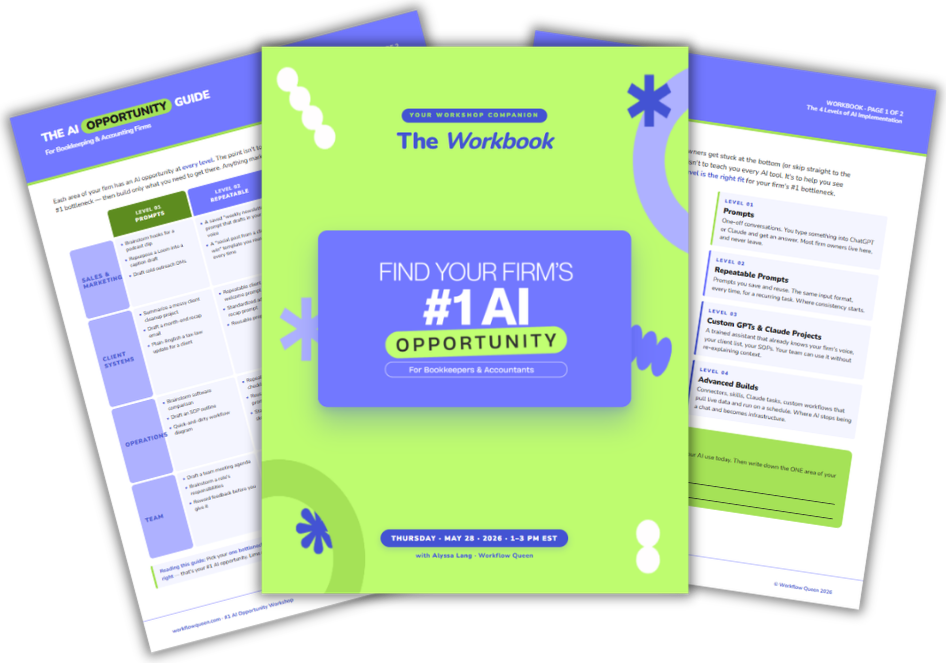
Student check-inThere are four levels of AI, and most firm owners hurt themselves trying to sprint to level four before the foundation exists. I'll show you exactly where you fit and what comes next. I teach in Claude (I believe it's the best one out there right now), but everything transfers to whatever platform you use. The goal is you understanding AI foundationally, so you never rely on someone like me to tell you what works for your firm.
- The 4 levels of AI, and exactly where you fit into them
- Connectors, Cowork, Projects, chats, custom GPTs: the confusing vocabulary made simple, so you feel empowered instead of lost
- Which tool for which job: why I run on Claude, when I grab Perplexity or ChatGPT, and how to judge the next shiny tool
- Pick the right tier, so you stop paying for seats and features you don't use
- Memory, preferences, and data settings: walked through on screen in Claude (with a screenshot guide for ChatGPT), plus my prompt that sets up your AI's memory so it knows you and your business, and serves you like it does
“My biggest win was creating a clear Business Brain that captures how I think, make decisions, work best, communicate, and want AI to support me.”
Student check-inIf AI keeps handing you answers you can't use, I promise it's fixable, and this is the module that fixes it. I'll teach you how to talk to AI so you get back work you'd send a client. Then we build your prompt library, so your best prompts never get lost in chat history again.
- Why your outputs have been weak: vague in, vague out (it was never you, and it was never the tool)
- The anatomy of a strong prompt, walked through piece by piece
- My favorite fix-it moves: the exact phrases you type back when an answer misses, like “critique your answer” and “what am I missing?”
- Flip the interview: have AI ask YOU questions to pull your processes and standards out of your head, and when that move saves you
- Turn your best conversations into reusable prompts: stored, shared with your team, and reverse-engineered into the next win
- Build your Firm AI Library with my 15 starter prompts, organized so your whole team can use it
You know that work you re-explain to AI every single month? The month-end review notes, the client status updates, the cleanup summaries? We're turning it into a Skill: you build it once, and it works every time after, for you and your team. This is where AI starts handing you back serious hours.
- How to spot the repeatable work that deserves to become a Skill (Claude's word for a reusable AI ability you build once)
- What a Skill is and what makes a good one
- Two starter Skills, done for you: the Reports Insights Skill that turns monthly financials into advisory-level analysis, and the Source File Creator Skill that interviews you and writes AI-ready source files on command
- Build, test, and launch your first Skill, start to finish, with the common mistakes flagged before you hit them
- Keep your Skills current as your workflows change, backed up in your Firm AI Library, so a crash or a team member leaving never costs you the work
The big one, and my favorite. We build a Project for one of your clients, inside your own AI, loaded with your standards, your scope, and your way of working. After this, AI stops guessing and starts knowing your client. It's the most valuable thing you'll build in this course, which is why it's worth the most points.
- When to use a Project vs. a chat vs. a Skill (this alone clears up so much confusion)
- Claude Projects, ChatGPT Projects, and custom GPTs, explained through one simple lens
- My recommended Project list for an accounting firm: every Project worth creating, and why
- The four parts of a Project: description, instructions, source files, conversations
- Three source files included, ready to load in, plus the Source File Creator Skill that interviews you and writes the rest, as many as your firm needs
- Launch it: test it, fix the common setup issues, and know when it's good enough to start using
This is the module where it clicks. Your prompts, Skills, and Projects snap together into one system, and I hand you the simple cycle I use to decide what to build next (and when not to build at all). You'll leave with your own roadmap.
- Walk the whole system start to finish, and why I taught it in this order
- The AI Build Cycle: Idea → Prompt → Library → Skill → Project → Team
- When NOT to build, so you stop rebuilding the same thing five different ways
- A sneak peek at what Level 4 looks like (agents, dashboards, Cowork), so you know exactly where the road leads when you're ready for it
- Train your eye to spot AI opportunities everywhere in your firm
You built the system. Now we bring your people into it. I'll walk you through the team conversation most owners avoid (yes, the “is AI replacing me?” one) and help you roll AI out with clear rules everyone follows. Running solo? Your rules get written now, before your first hire, instead of scrambled together after.
- Turn your AI values into firm-wide standards: what's allowed, what's off-limits, who owns what
- The Team AI Conversation: name the replacement fear head-on, and make it safe for your team to experiment
- Assign ownership, so every Project and Skill has someone keeping it current
- Sharing and guardrails: Claude Team vs. individual accounts, protecting firm-owned files, and what happens when someone leaves
- Your rollout plan, step by step
The last module protects everything you built. We set up simple naming, a home for every file, and a light maintenance habit, so six months from now your AI is still organized instead of a digital junk drawer. Then we map your next 90 days, and you graduate.
- Naming that scales: client initials, clear labels, and version control your team can follow
- Where everything lives: a simple guide for what goes in memory, a Project, a source file, a Skill, or a prompt
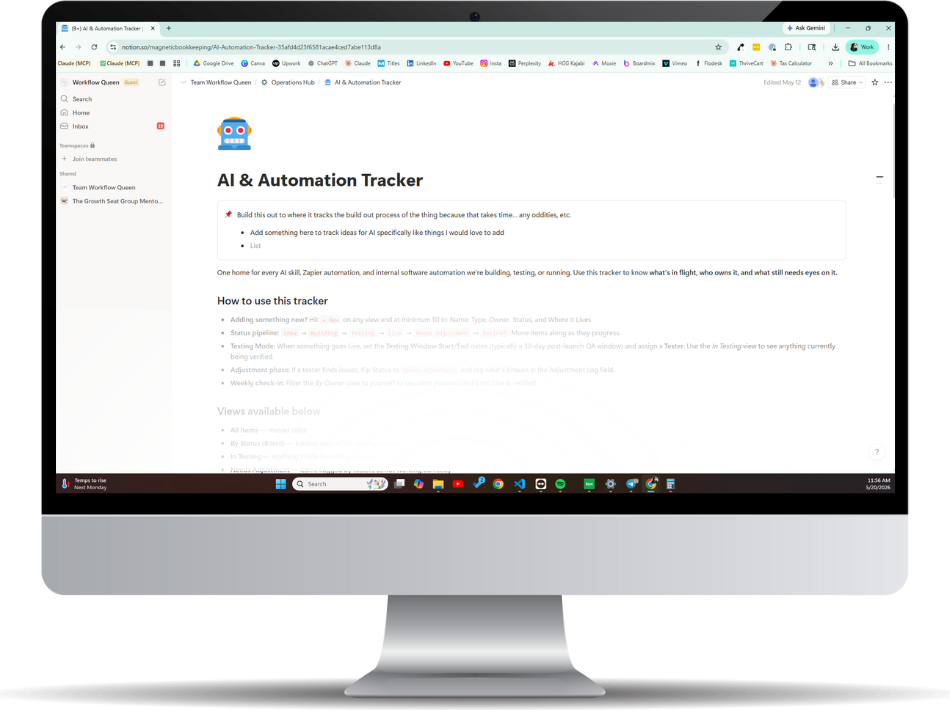
- The AI & Automation Tracker: what you built, whether it's working, and who owns it
- Easy housekeeping habits: what to keep, what to archive, what to retire
- Your 90-Day AI Plan: your next 1–3 builds, on a calendar
- And your outtake form, so you see exactly how far you came from day one
Questions? Email support@workflowqueen.com and we'll get them answered.
“I really developed focused values on how I want to use AI that I'm freaking proud of.”
An AI Firm By Design studentThe AI Firm Dashboard
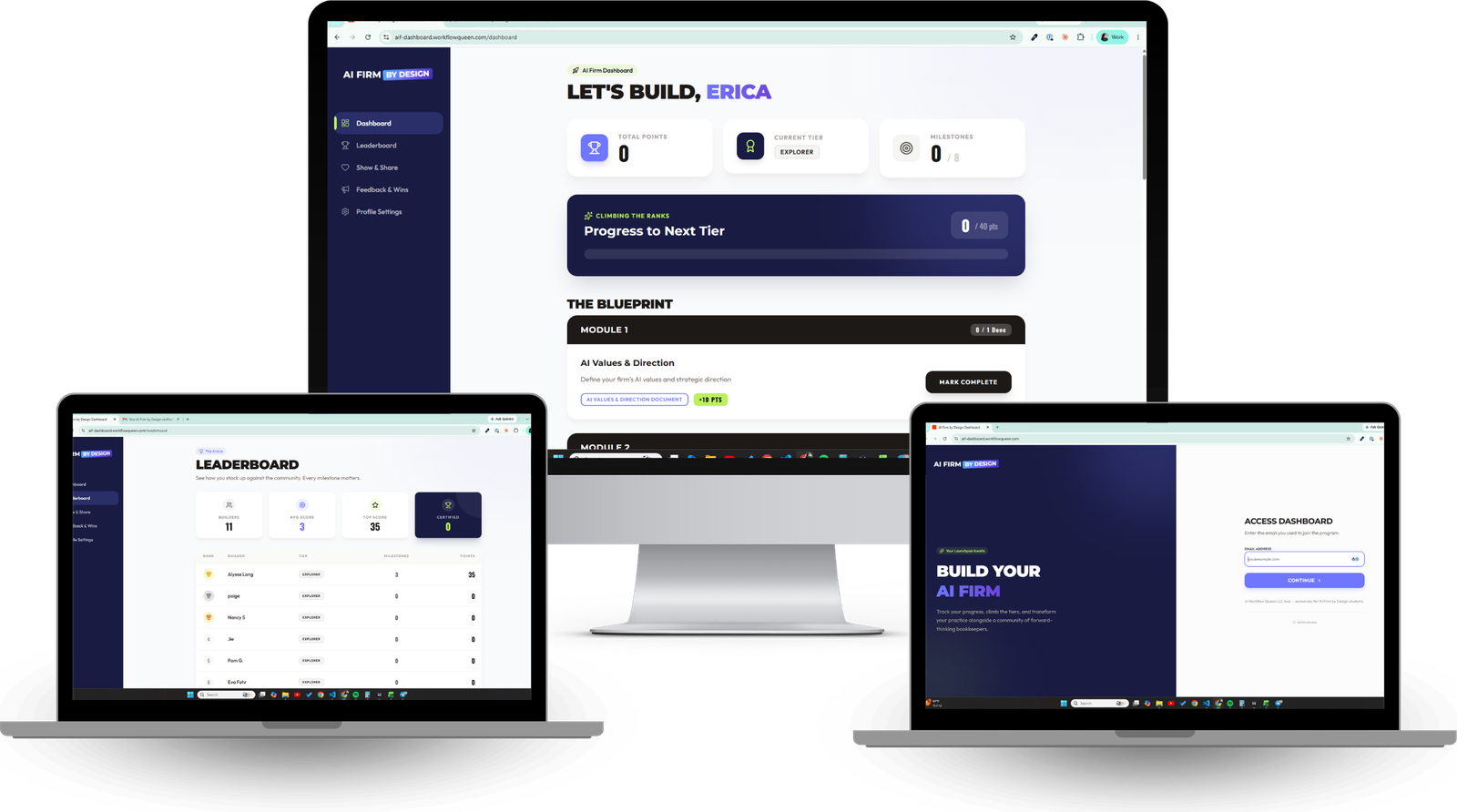
We all know what happens with most courses: you buy them, life hits, and they sit. So Alyssa built the AI Firm Dashboard to keep you focused and on track. Every big module ends with you building something for your firm, and every build earns points.
Inside, you'll find the leaderboard, where you can see how you stack up against other AI Firm By Design students (with an anonymous option). There's also Show & Share, where you can drop your words of wisdom, read what everyone else is learning, and share the prompts, Skills, and builds you're proud of.
Get inspired, grab ideas, pass yours on.
15 Prompts + 2 Skills, Built For You
Module 4 hands you the Firm AI Library, and the course keeps loading it. Every asset comes with step-by-step instructions and a one-click copy block, in a Notion template your whole team can run.

Your firm's AI home base, in Notion
The Source File Creator
Structured documents are what AI runs on, and this Skill writes them for you. It interviews you, pulls what you know onto the page, and hands back a clean, AI-ready source file you can drop into any Skill, Project, or team handoff.
Reports Insights
Feed it a client's monthly financials and it hands back the patterns, risks, KPIs, and the talk track for your client call. Advisory-level analysis every month, without rebuilding it from scratch.
These are the working AI assets the course promises: saved once, organized in one place, used on every client after.
Everything You Walk Away With
Everything here is something you build once and use across your firm. Bring the resources to every client and share them with your team.
Your Firm AI Library: 15 Prompts + 2 Skills
The one home for every AI asset your firm runs: 15 tested starter prompts plus the Reports Insights and Source File Creator Skills, organized so your best work never lives in one person's chat history.
Your Client Project
Built in your own Claude, from the 3 included source files plus any the Source File Creator writes for you. AI that knows your client instead of guessing.
AI & Automation Tracker
The Notion template that tracks every build: what exists, whether it's working, and who owns it.
AI Values & Direction Doc
Your firm's AI policy in writing: what's allowed, what's off-limits, and the standards your team follows.
The Complete Safety Stack
The Green / Yellow / Red self-assessment, redaction guides for Mac and Windows, and the exact questions to bring to IT, legal, and insurance.
- Safety Self-Assessment
- Redaction Guides ×2
- Legal / IT / Insurance Qs
Your 90-Day AI Plan
Your next 1–3 builds, prioritized, on a quarterly rhythm that survives busy season.
Email & Client Templates
Ready-to-use templates for the client and team communication around your AI rollout.
Team Rollout Plan
Standards, the conversation, ownership, and governance, documented and ready.
Your First Working Skill
Built from your own repeatable work, tested, documented, and deployed.
Or 2 payments of $355. Start today and build at your own pace.
“The green, yellow, red assessment guide is GOLD! I love that it's easy to reference across my team so they don't have to keep it all in their head or read the AI policy (which is long) every time they need to double-check what is allowed/not allowed.”
An AI Firm By Design studentYou Told Me What You Needed
After I hosted my first AI workshop, my inbox filled with the same message, worded a hundred different ways: “Okay, I finally see what AI could do for my firm… but I need you to walk me through setting it up.”
I get it. I've watched firm owners buy the tools, save the prompts, and still freeze, because nobody built the path for our industry. Everything out there was written for marketers and content creators, and none of it answers the question you're carrying: “what about my client data, my team, my engagement letters?”
So I built it. AI Firm By Design is every step, in order, from your safety rules to your first client Project, with the humans-first soul of your firm intact the whole way through. I walk you through it on screen, one module at a time, and you leave with working assets you can use across your firm.
You're not behind. You're right on time.
Built to Fit Around Client Work
Self-paced, with lifetime access. Watch, build alongside the lessons, and log every milestone on your AI Firm Dashboard, one module at a time.
By the End, You'll Have It Running
- Your AI Values & Direction document, so every decision has a rule to follow
- A safely configured environment, with client data protected by your own standards
- Your Firm AI Library with 15 starter prompts, in use on whatever's drowning you
- The Reports Insights + Source File Creator Skills and a client Project, running in your own AI
- A team rollout plan, so the humans adopt what you built
- The tracker and maintenance rhythm that keep it all clean as you grow
“I realized I do not have a shortage of ideas, projects, or tools... I have a need for one trusted system that helps me decide what matters now and what happens next.”
After the Focus Finder worksheetTwo Ways to Get Started Today
Same course, same assets, same lifetime access either way.
- One simple payment
- The lowest total price ($15 less than the plan)
- Full course + every asset + the dashboard
$355 today, $355 in 30 days. $710 total.
Split It & Start Today- Full access immediately, from payment one
- Two easy payments, 30 days apart
- Full course + every asset + the dashboard
Same course, same assets, same lifetime access either way.
Pick your way in and start building today.
Questions? Email support@workflowqueen.com and we'll answer them.
Before You Grab Your Spot
You've Watched Long Enough. Let's Build.
Grab AI Firm By Design, get immediate access to all ten modules, and run your first client Project inside your own AI.
$695 once, or 2 payments of $355.
Lifetime access for as long as the program lives.
Questions? Email support@workflowqueen.com.


 Your firm's AI safety rules, so your team knows what belongs in AI and what stays out
 You're one step away from going from "I sort of use AI" to "AI is set up, organized, and working in my firm," with Alyssa walking you through every step.
  The full 10-module AI Firm by Design course, self-paced with lifetime access
 WAIT! ADD THIS TO YOUR ORDER!


